AI Video Editing: The Complete Beginner's Guide

Zyphra Team
Zyphra Editorial
AI has fundamentally changed video editing. Tasks that once took hours in Premiere Pro or Final Cut — color grading, audio cleanup, captioning, scene cutting — can now be done in seconds with AI. This guide covers everything a beginner needs to know.
What Is AI Video Editing?
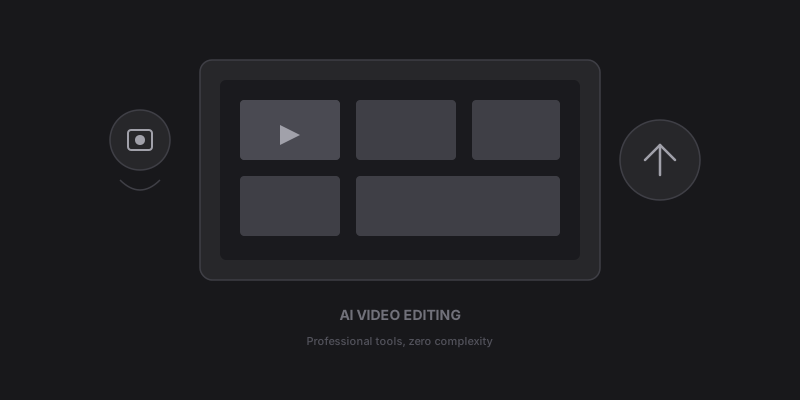
AI video editing uses machine learning models to automate and enhance the video production process. Instead of manually dragging clips on a timeline, you describe what you want and the AI handles the execution.
This includes: - Auto-captioning — AI transcribes and times subtitles perfectly - Scene detection — AI identifies scene changes and cuts intelligently - Audio enhancement — Remove background noise, equalize levels, enhance clarity - B-roll generation — AI creates or selects relevant supplementary footage - Color grading — Automatic color correction and cinematic looks - Smart cropping — Reframe horizontal video for vertical platforms automatically
Auto-Captions: The Gateway Feature
If you've never used AI editing before, auto-captions are the perfect starting point. Studies show that adding captions increases video engagement by 40% on average.
Zyphra's caption engine supports: - Word-by-word highlighting with smooth animations - 15+ caption styles (bold, minimal, gradient, pop, etc.) - 16+ languages with native-quality transcription - Custom fonts, colors, and positioning - Automatic emoji insertion based on context
The AI doesn't just transcribe — it understands emphasis, pauses, and emotion to create captions that feel hand-crafted.
Intelligent Scene Detection
Traditional editing requires you to manually scrub through footage and mark cut points. AI scene detection analyzes visual and audio changes to automatically identify every scene in your video.
This is incredibly powerful for: - Clip extraction — Pull the best moments from a 2-hour livestream - Highlight reels — Automatically assemble the most engaging segments - Content repurposing — Break a long video into multiple shorts
Zyphra's clip extractor uses AI scoring to rank scenes by engagement potential, so you always get the best clips first.
AI Audio Enhancement
Bad audio kills videos faster than bad visuals. AI audio tools can: - Remove background noise (traffic, AC hum, keyboard clicks) - Normalize volume levels across clips - Enhance voice clarity and presence - Add background music that dynamically adjusts to dialogue
Zyphra processes audio in real-time, so you can hear the difference instantly.
B-Roll and Visual Generation
This is where AI editing gets truly futuristic. Instead of spending hours searching stock footage libraries, AI generates custom visuals from text descriptions.
Need a shot of "a futuristic city at sunset"? The AI creates it in seconds. Need a smooth transition between two scenes? The AI generates a morphing effect that looks hand-animated.
Zyphra offers: - AI image generation for stills, thumbnails, and overlays - AI video generation for cinematic b-roll clips - Automatic visual matching — the AI reads your script and generates relevant visuals for each section
Smart Cropping and Reframing
One video, multiple formats. AI smart cropping automatically reframes your 16:9 content for: - 9:16 (TikTok, Reels, Shorts) - 1:1 (Instagram feed) - 4:5 (Facebook, LinkedIn)
The AI tracks faces and important content to keep the focus correct, no matter the aspect ratio.
Getting Started with AI Editing
The learning curve for AI video editing is virtually flat. If you can type a description, you can edit a video. Here's a simple first project:
- Upload any video to Zyphra
- Click "Enhance" to auto-improve audio and color
- Add AI captions in your preferred style
- Export in your target format
From there, explore clip extraction, b-roll generation, and the other features at your own pace. The AI handles the complexity — you focus on the creative decisions.